Describe it once.
Present it today.
Theo writes the deck, picks the layouts, generates the imagery, and paints the whole thing in your brand. You get an editable presentation with a presenter view, a rehearsal coach, and a PPTX export. Not a template you still have to fill in.
Paste a URL. The whole deck changes clothes.
Theo Brand Kit reads the colors, type, and logo off your live site and builds a theme from them. Pick a brand below and watch every slide follow.
Themes are reusable. Save one per client, per product line, or per event, and every new deck starts already on brand.
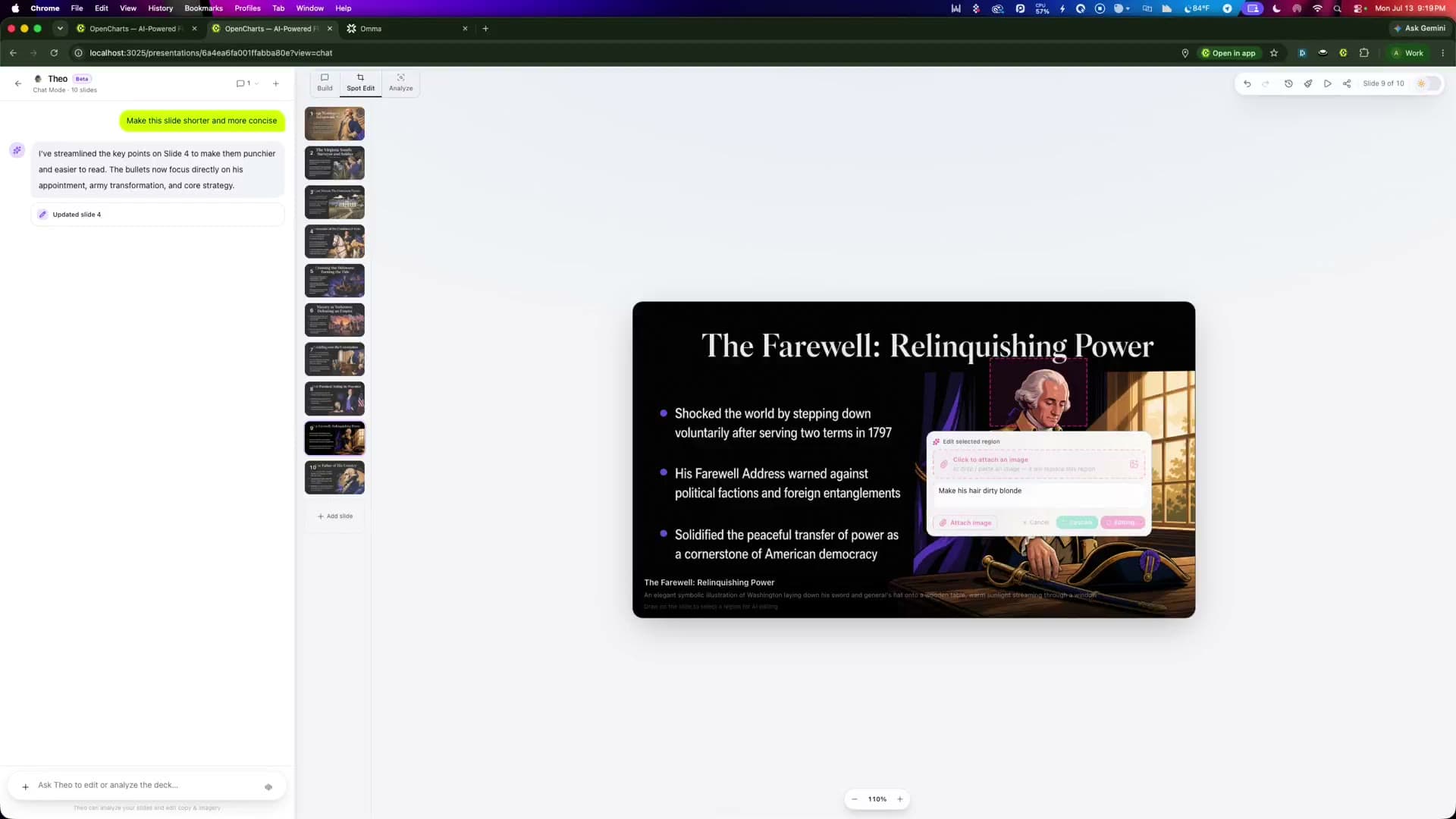
Generated, then genuinely editable.
Drag elements, retype anything, swap an image, reorder slides, drop in a chart. Or highlight a slide and ask Theo to rewrite it for a board audience instead of a customer one.
Nine layouts, chosen for the content.
Theo does not drop everything into the same title-and-bullets frame. It reads what the slide is actually saying and picks the shape that fits.
The half of the screen only you see.
Speaker notes, the next slide, a running timer, and a rehearsal coach that tells you when you are racing. There is also an AI cheat sheet you can ask about your own deck while someone is mid-question.
Practice out loud and get feedback on pace, filler words, and how long each slide is actually taking.
Your notes scroll where you can read them, so you stop reading the slide to the room.
Ask a question about your own content without leaving the presentation.
Six quarters of compounding volume with no paid acquisition.
Six straight quarters, no paid acquisition. Pause here. Let the number sit before you move on.
Everything the deck needs, in one place.
Slides written for you
Describe the deck in one line and get real content, not lorem ipsum in a template. Audience, tone, and length all count.
Imagery generated per slide
Every slide can carry its own illustration or photograph, generated to match what that slide is actually about.
Brand themes from a URL
Colors, type, and logo pulled off your live site, saved as a reusable theme, applied across the whole deck.
Nine layouts
Title, split, bulleted, metrics, chart, full bleed, quote, timeline, and comparison. Chosen per slide, editable after.
Charts and tables
Drop in a chart with your own numbers, or pull a range straight out of a Theo Sheet so the figures stay current.
Rehearsal coach
Pace, filler words, and per-slide timing, plus a teleprompter that keeps your notes where you can see them.
Music and narration
Add a soundtrack from the library or generate narration per slide, then let the deck present itself.
Share a live link
Send a link that opens the real deck. Viewers do not need an account and do not download anything.
Export anywhere
Editable PowerPoint, PDF, PNG slides, or straight to Google Drive with layouts and images intact.
One line in, a deck out.
Say what the deck is for
A pitch, a quarterly review, a lecture, a launch. Name the audience and the tone, and paste your site if you want it branded.
Theo builds the whole thing
Content, layouts, imagery, and theme land together as a complete first draft you can actually read end to end.
Make it yours
Edit any element directly, reorder slides, swap an image, or ask Theo to rewrite a section for a different room.
Present, share, or export
Go live with presenter view and the rehearsal coach, send a link, or export editable PPTX for the client who insists.
 Imagery, generated per slide
Stop shopping for stock photos.
Slides get artwork made for their own content and tinted to your theme, so a deck stops looking like six different websites glued together. Swap any image for your own whenever you want to.
Before you build one.
How does AI presentation generation actually work?
Can it use my company brand?
What is the rehearsal coach?
Can I export to PowerPoint?
Can I pull live numbers into a slide?
Is the presentation builder free?

Your next deck is one sentence away.
Describe it, watch it build, make it yours, and present it today. Free on every plan, no card required.